


Placeit Mockups & Design
4.672.00 Reviews
App Specs
- Version
- 1.13.0
- Updated On
- License
- Free
- Downloads
- 100,000+
- Developer
- Envato USA Inc
- Categories
- Art & Design
- Platform
- Android
Screenshots
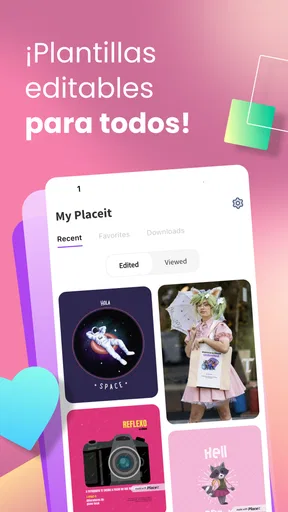
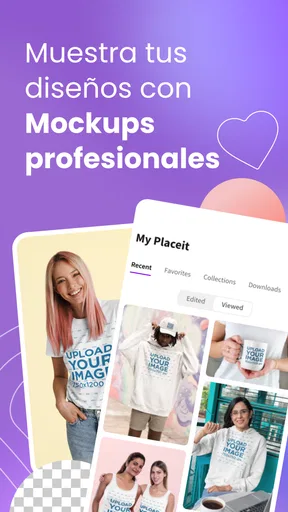
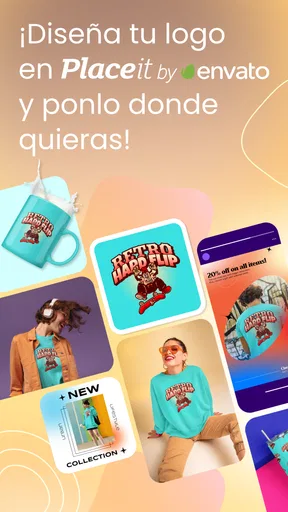
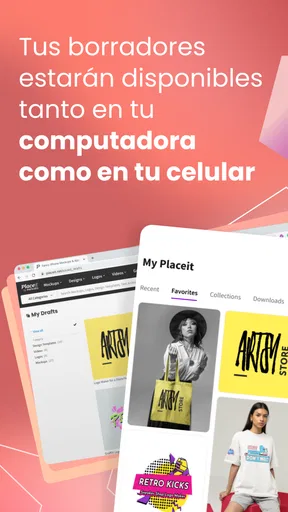
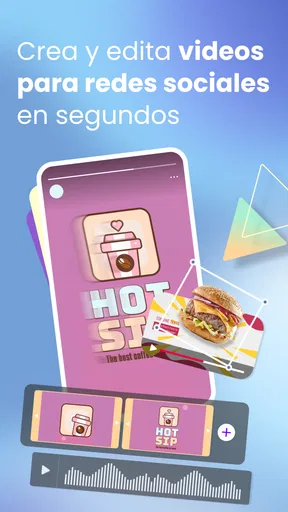
 Analysis by AppCompare
If you've ever found yourself stuck in a creative rut, trying to visualize your brand or product in a slick, professional setting, then Placeit Mockups & Design might just be your new best friend. I recently took it for a spin, and let me tell you, it’s like having a design studio in your pocket.
Where the app fits in a real design workflow
I see this as a practical shortcut for turning an idea into a presentation-ready visual, rather than a replacement for a full design program. If I were preparing a quick social post, testing a logo on merchandise, or putting together a concept for a client, I’d use Placeit to get a polished preview without building the scene from scratch. The app is in the Art & Design category, is made by Envato USA Inc, and is aimed at people who value speed and approachable tools over fine-grained control.
That distinction matters. A mockup can help someone judge whether a mark feels right on a shirt or a mug, but it is not the same thing as preparing production artwork. I would treat a design shown in context as a decision-making aid: useful for getting feedback and spotting obvious visual problems, but not automatically a print-ready master file. For final production, I’d keep the original logo or artwork in a dedicated design workflow and check the supplier’s requirements separately.
A useful current snapshot
The Android app is free to install, has an Everyone content rating, and has passed 100K+ installs. Its average rating is 4.6 from 775 ratings, with 70 reviews, which gives a newcomer some public feedback to consider without telling the whole story of how it will fit their own workflow. I’d still judge it by the kind of work I need to make: a beginner creating a first product preview has different expectations from a designer who needs precise layout controls.
It is also worth separating the free download from the cost of using every asset. In-app purchases range from $14.99 to $119.99 per item, so I would explore the available free choices first and only pay once I knew the selected design solved a real need. That approach is especially sensible for occasional projects, where a paid asset may be worthwhile for one campaign but not something I’d buy speculatively.
The Ultimate Creative Companion
Placeit Mockups & Design is an app designed for those who need to create stunning visuals without the hassle of complicated software. Whether you're a small business owner, a designer, or just someone who wants their Instagram posts to pop, this app has got you covered.
Easy Peasy Interface
First off, let’s talk about the interface. It’s super intuitive. You don’t need a degree in graphic design to navigate it. I found everything I needed just a few taps away. From choosing templates to customizing them with my own images and text, the process was smooth and straightforward.
Worth Reading Before You Choose

EA SPORTS FC Mobile 26 Is a Bigger Football Game, but It Takes Time

Flipboard Shows What News Apps Must Do Beyond the Feed

Switching to Android Auto Means Rethinking Your Driving Routine

Google Calendar Makes a Crowded Week Easier to Manage

Ludo King Makes the Most of the Minutes Between Plans

Baby Panda World Brings Quick Play to Modern Phones, but Its Game Library Feels Busy
Mockups Galore
The mockup library is vast. We're talking hundreds of templates for everything you might need—t-shirts, business cards, social media posts, you name it. I even found some cool templates for coffee mugs. Who knew I needed my face on a mug?
Customization Heaven
What I loved the most was the level of customization available. You can tweak colors, add text, and even upload your own images. The app provides real-time previews, so you see exactly what you’re getting. It’s like having a little design genie at your command.
Choosing a template with a purpose
A small workflow choice makes a big difference: I’d decide what question the mockup needs to answer before browsing. If I’m checking whether a logo is readable on a small object, I’d choose a close, clear product view; if I’m pitching an overall brand mood, I’d look for a scene where the surrounding colors and styling support the concept. This keeps a large template library from becoming a distraction and makes comparisons more useful.
I’d also make a short set of variations instead of endlessly polishing one version. For example, I might test a light and dark logo treatment, then compare them in the same kind of mockup. Keeping the scene consistent helps me judge the artwork rather than being swayed by a different background or product angle. That is a more reliable use of mockups than treating each attractive preview as a separate design direction.
Design Without the Fuss
The best part? You don’t need to download multiple apps to get the job done. Placeit Mockups & Design handles everything in one place. I was able to create a complete branding package without ever leaving the app. Talk about convenience!
Where it differs from other design options
Compared with starting in a general-purpose graphics editor, Placeit’s template-first approach is easier when the goal is to show artwork in a familiar setting quickly. A full editor is the better choice when I need exact spacing, careful layer work, custom illustration, or precise control over typography. Placeit makes more sense when I already have a logo or image and want to see how it might look on a product or in a social context.
It also serves a different purpose from a blank-canvas social design tool. Those tools can be more flexible for arranging a one-off poster or building a layout from elements; a mockup-focused workflow is better when the setting itself helps communicate the idea. I would not choose Placeit just because I need to draw or retouch an image. I’d choose it when the main job is to place existing creative work into a convincing presentation.
Quality You Can Count On
All the mockups are high-quality. I tried printing a few designs, and they turned out beautifully. The resolution holds up, and the colors are vibrant, which is a huge win if you're planning to use these designs professionally.
A realistic small-business use
Imagine I run a small shop and have just finished a new logo. Before announcing a product, I could use a mockup to show the mark on a shirt or mug, then share the preview with a few customers or collaborators to ask which treatment reads best. That is a low-effort way to make an idea easier to discuss than sending a flat logo file. I would still check the final artwork against the actual printer’s specifications rather than assuming that a screen preview guarantees the finished item will match.
The same process can help a freelancer who needs to present options without spending time staging physical products. A designer can prepare a few clear concepts, use consistent mockup settings, and focus the conversation on the logo or color choice. For a student or hobbyist, it can make a personal project feel more complete. In each case, the value is in communicating the idea quickly, not in replacing the work needed to create the underlying design.
Affordable Creativity
While the app is free to download, some templates require a purchase. But honestly, the prices are pretty reasonable, especially considering how much time and effort you save. Plus, there are plenty of free options to get started with.
Who is likely to get the most from it?
I’d recommend it to a small business owner who needs quick product previews, a creator preparing simple promotional visuals, or a designer who wants to show a logo in context before refining a client presentation. It can also suit someone who feels intimidated by professional design software and wants a more direct route from an existing image to a finished-looking preview.
I’d steer away from it if my work depends on intricate illustration, detailed photo manipulation, exact print-layout setup, or control over every element in a composition. Someone who makes designs regularly may also prefer a desktop editor for detailed production work and use Placeit only for presentation images. That combination is more sensible than expecting one mobile app to handle both fast mockup creation and every stage of professional design.
Room for Improvement
Now, no app is perfect. I did notice that the app could lag a bit when handling larger projects. It wasn’t a deal-breaker, but something to keep in mind if you're working under tight deadlines.
Additionally, while the customization options are extensive, having a few more advanced editing tools would be nice. But hey, for what it offers, it’s already a stellar deal.
Version and what I would watch next
The current Android version is 1.11.0, and the app was released on Jan 11, 2023. Those facts give me a useful snapshot of its product history, but they do not by themselves show which specific tools have changed or how the editing experience has evolved. For someone already using it, the practical test is whether the current workflow still handles their usual templates, image uploads, and exports comfortably; I would not assume a version number alone means a particular feature has been added.
The minimum operating system is Android 7.0, which makes the app available on a broad range of Android devices that meet that requirement. Before relying on it for a deadline, I’d make a small test project on the phone I plan to use, especially if the design includes a large image or several customizations. That is a simple way to catch device-specific slowdowns before the important work begins.
What I’d watch for as an existing user is whether updates improve the parts that matter most in daily use: stability on larger projects, useful editing control, and a clear path from preview to a file suitable for the intended purpose. Those are the areas that would make the app more valuable to me. Until then, I’d keep expectations grounded: it is strongest as a quick visual presentation tool, not as a complete replacement for a desktop design suite.
Final Thoughts
All in all, Placeit Mockups & Design is a fantastic tool for anyone looking to elevate their visual content without getting bogged down by complicated software. It’s user-friendly, packed with features, and most importantly, makes designing fun. If you're looking to up your design game, give it a shot. Who knew creating beautiful designs could be this easy?
Pros
- User-friendly interface for easy navigation.
- Extensive library of templates available.
- High-quality mockup generation.
- Supports multiple file formats.
- Frequent updates with new features.
Cons
- Requires subscription for full access.
- Limited customization on free plan.
- Mobile app lacks some desktop features.
- Occasional slow loading times.
- No offline mode available.
FAQs for Placeit Mockups & Design
What platforms does Placeit Mockups & Design support?
Placeit Mockups & Design is available on both Android and iOS platforms. It caters to users looking to create professional mockups, logos, and videos directly from their mobile devices. This ensures that whether you're using a smartphone or a tablet, you can access all the features seamlessly.
Is Placeit Mockups & Design user-friendly for beginners?
Absolutely! Placeit Mockups & Design is designed with an intuitive interface that caters to beginners. With easy-to-navigate menus and a wide range of templates, users can quickly create stunning designs without prior graphic design experience. The app provides step-by-step guidance to help users get started.
Does Placeit Mockups & Design offer a variety of templates?
Yes, the app offers a vast library of templates across different categories. Whether you need a mockup, logo, or video design, Placeit provides an extensive selection that can be customized to suit your specific needs. The templates are regularly updated to include new trends and styles.
Are there any costs associated with using Placeit Mockups & Design?
While Placeit offers some free features, access to the full range of tools and templates typically requires a subscription. Users can choose between a monthly or annual plan, with the option to cancel anytime. The pricing is competitive, considering the professional quality of the designs.
Can I share my designs directly from the app?
Yes, Placeit Mockups & Design allows users to share their creations directly from the app. Once you've completed a design, you can easily export it and share it via email, social media, or other platforms. This feature makes it convenient to showcase your work instantly.


